
No. 10 · Open source · v0.5.1, MIT

Appothèque
A menu bar launcher for the Mac and iOS apps you are building.
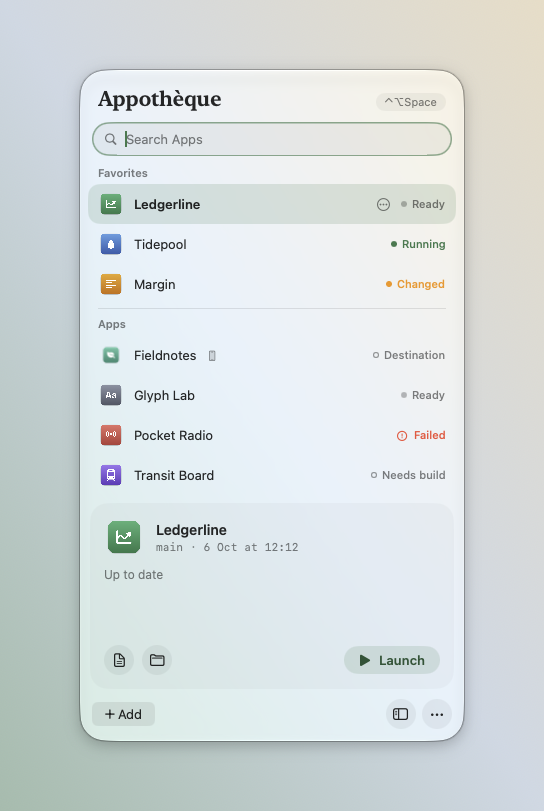
Click an app: Appothèque checks your local files, builds only if something changed, then opens it.
Install
brew install --cask arsis-dev/tap/appotheque
Film
Why
When you work on several apps at once, opening the current version of one usually means opening Xcode or a terminal, picking the scheme, building and waiting. Appothèque keeps a build recipe for each project and a fingerprint of its inputs. If nothing changed since the last successful build, the app opens immediately; otherwise it is rebuilt first.
What it does
- 01
Builds only when needed. Tracked files, untracked files that Git does not ignore, uncommitted changes, lockfiles, the recipe and the selected Xcode all count.
- 02
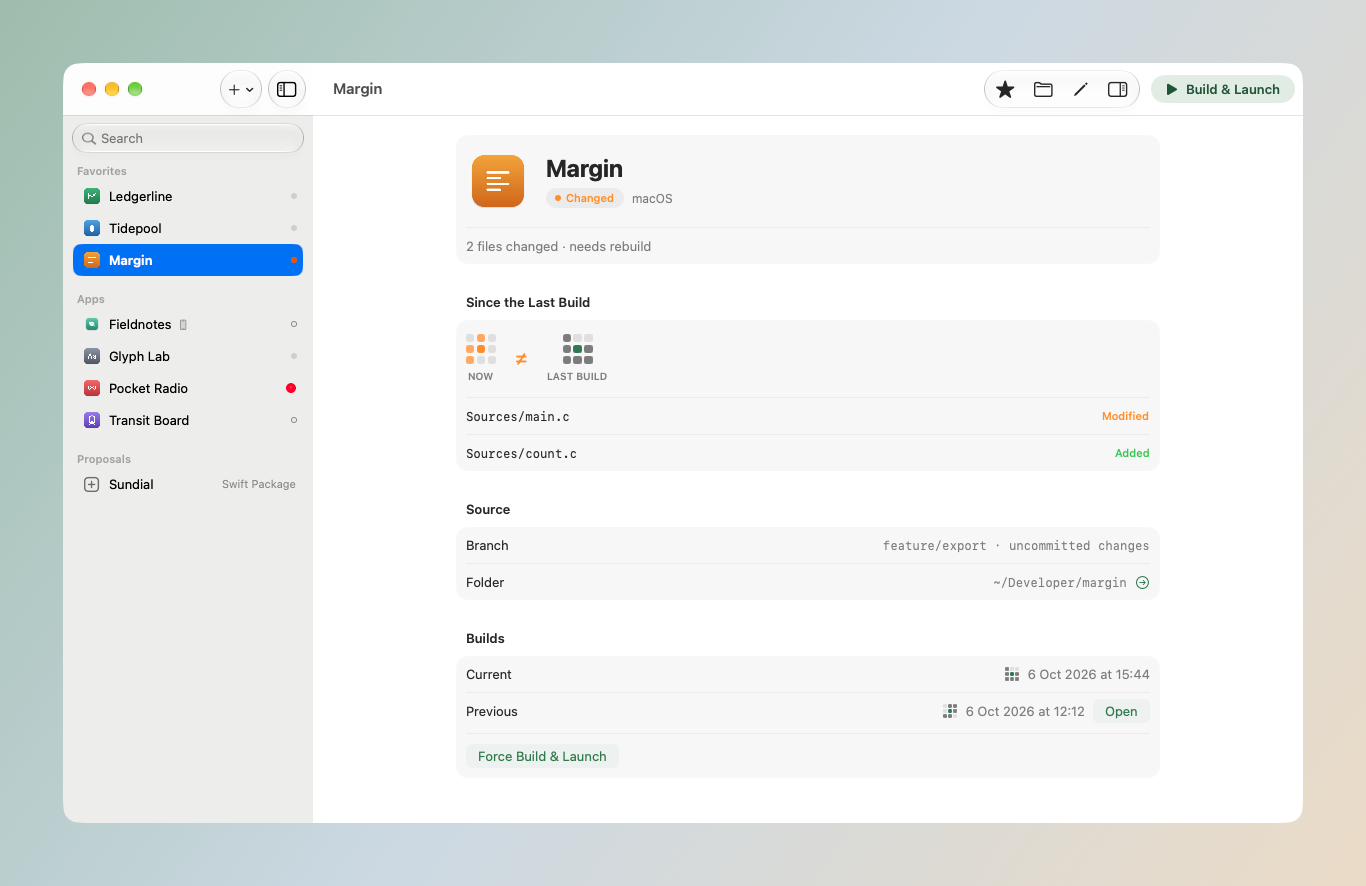
Shows what changed. The window lists the files modified, added or removed since the last successful build, next to the fingerprint of each build.
- 03
Keeps the previous build. Each successful build is stored separately. The previous one stays one click away, including after a failed build.
- 04
Never force-quits. When a newer build is ready, the running version is asked to quit normally, so its save dialogs still appear.
Screenshots
Elsewhere in the workshop
All 22 objects →- 01 Spicilège
- 02 Rhizomes
- 03 Futon Fighters
- 04 Tales of Chinatown
- 05 arsis.dev
- 06 NamerKit
- 07 Daymon
- 08 LoopHuntr
- 09 Palimpseste
- 11 LLMarium
- 12 tralala
- 13 Slyfari
- 14 Squatcat
- 15 Syntype
- 16 Layon
- 17 BackShelves
- 18 Admissions platform
- 19 Campus platform
- 20 Support assistant
- 21 Ecological data platform
- 22 Biodiversity database